> ## Documentation Index
> Fetch the complete documentation index at: https://docs.odin.fun/llms.txt
> Use this file to discover all available pages before exploring further.
# Step 1: Project Setup and Prepare Authentication
> Set up your project dependencies and implement the first phase of SIWB authentication
If you are already familiar with ICP Identities, you can skip this step.
Welcome to the Odin quickstart guide! In this step-by-step tutorial, you'll learn how to integrate Bitcoin-based authentication into your application using Odin's Sign-In-With-Bitcoin (SIWB) system.
By the end of this guide, you'll have built a complete SDK that can:
* Authenticate users with their Bitcoin wallets
* Generate Internet Computer identities
* Obtain API tokens for Odin services
## Understanding Odin Authentication
```mermaid theme={null}
sequenceDiagram
participant W as Wallet
participant S as SIWB Canister
participant A as Your App
participant O as Odin API
W->>S: 1. Get Address
S->>A: 2. Prepare Login
A->>S: 3. Sign Message
S->>W: 4. Sign Message
S->>A: 5. Complete Login
A->>S: 6. Get Delegation
A->>O: 7. Exchange JWT
O->>A: 8. JWT Token
```
### Authentication Flow Explained
The Odin authentication process follows these steps:
Your wallet provides its Bitcoin address to the SIWB (Sign-In with Bitcoin) canister. This establishes the identity that will be used for authentication.
The SIWB canister generates a unique challenge message and sends it to your application. This message contains cryptographic data that proves the request's authenticity.
Your application receives the challenge message and requests the user's wallet to sign it. This step verifies that the user controls the private key associated with their Bitcoin address.
The wallet signs the challenge message using the user's private key, creating a cryptographic proof of ownership without exposing the private key itself.
The signed message is sent back to the SIWB canister, which verifies the signature against the Bitcoin address. If valid, the authentication is approved.
Your application requests a delegation from the SIWB canister. This delegation acts as a temporary identity that can interact with Internet Computer services.
Your application exchanges the delegation for a JWT (JSON Web Token) from the Odin API. This token contains the user's authenticated identity and permissions.
The Odin API returns a JWT token that your application can use to authenticate all subsequent requests to Odin services.
This process ensures that users maintain control of their Bitcoin private keys while securely authenticating with Odin services through the Internet Computer infrastructure.
Odin supports multiple authentication methods and Bitcoin wallets. You can see all supported options on our website:
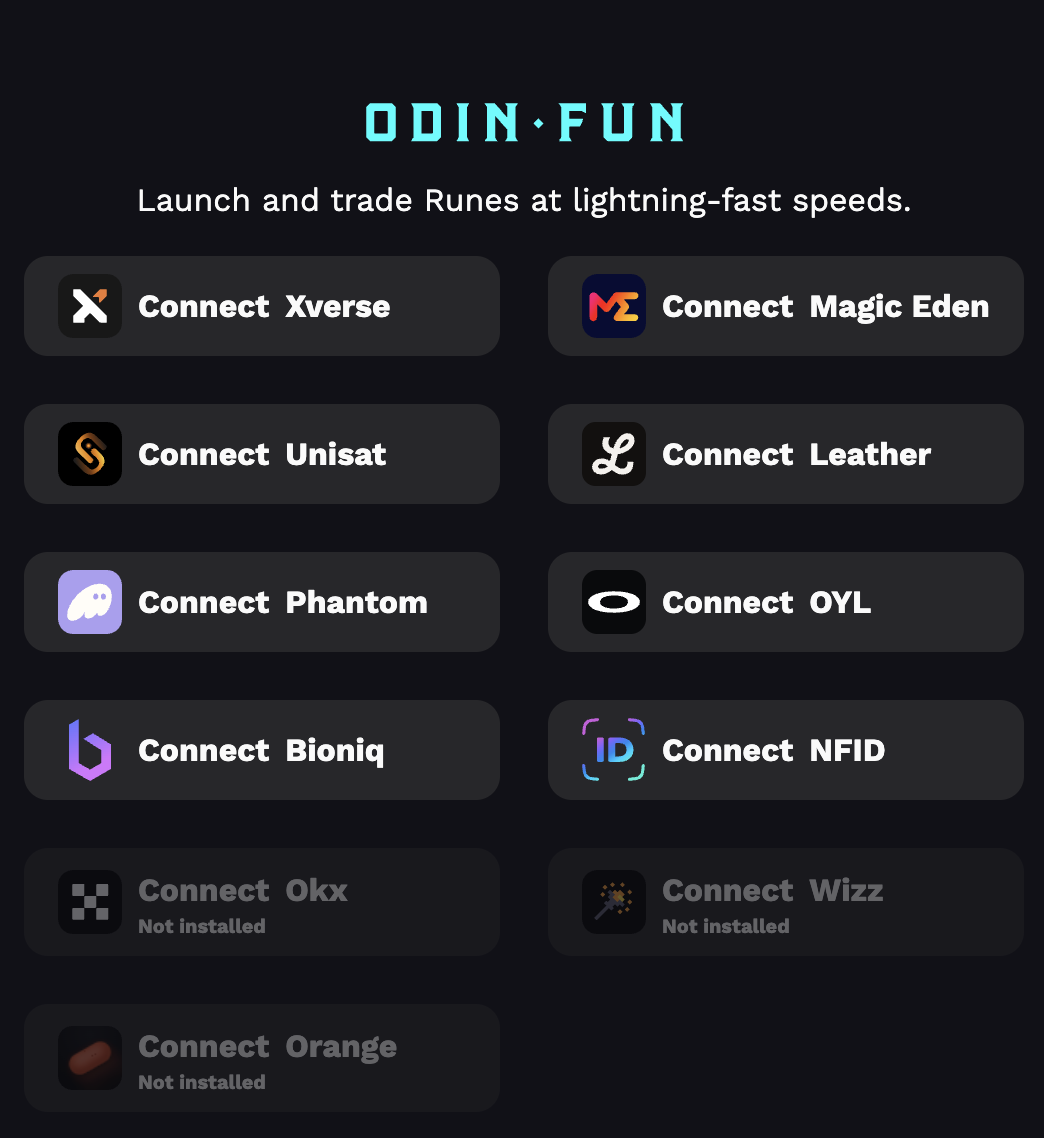 This tutorial focuses on Bitcoin wallet authentication through Node.js. For web applications, we recommend checking out [Laser Eyes](https://demo.lasereyes.build/) for easier wallet integration.
## Prerequisites
Make sure you have the following installed before starting:
Node.js 18.0.0 or higher
TypeScript 5.0.0 or higher (recommended)
## Install Dependencies
First, install the required Internet Computer libraries:
```bash theme={null}
npm install @dfinity/agent @dfinity/identity @dfinity/principal
```
## SIWB Canister Integration
### Import Canister Interface
Let's start by setting up the SIWB canister interface. You can reference the contract and download the interface from the [Internet Computer Dashboard](https://dashboard.internetcomputer.org/canister/bcxqa-kqaaa-aaaak-qotba-cai).
```typescript canister/ic_siwb_provider.idl.ts theme={null}
export const idlFactory = ({ IDL }: any) => {
const Principal = IDL.Vec(IDL.Nat8)
const String = IDL.Text
const Address = IDL.Text
const GetAddressResponse = IDL.Variant({ Ok: Address, Err: IDL.Text })
const GetPrincipalResponse = IDL.Variant({
Ok: Principal,
Err: IDL.Text,
})
const PublicKey = IDL.Vec(IDL.Nat8)
const SessionKey = PublicKey
const Timestamp = IDL.Nat64
const Delegation = IDL.Record({
pubkey: PublicKey,
targets: IDL.Opt(IDL.Vec(IDL.Principal)),
expiration: Timestamp,
})
const SignedDelegation = IDL.Record({
signature: IDL.Vec(IDL.Nat8),
delegation: Delegation,
})
const GetDelegationResponse = IDL.Variant({
Ok: SignedDelegation,
Err: IDL.Text,
})
const SiwbSignature = IDL.Text
const PublickeyHex = IDL.Text
const SignMessageType = IDL.Variant({
Bip322Simple: IDL.Null,
ECDSA: IDL.Null,
})
const CanisterPublicKey = PublicKey
const LoginDetails = IDL.Record({
user_canister_pubkey: CanisterPublicKey,
expiration: Timestamp,
})
const LoginResponse = IDL.Variant({ Ok: LoginDetails, Err: IDL.Text })
const SiwbMessage = IDL.Text
const PrepareLoginResponse = IDL.Variant({
Ok: SiwbMessage,
Err: IDL.Text,
})
return IDL.Service({
get_address: IDL.Func([Principal, String], [GetAddressResponse], ["query"]),
get_caller_address: IDL.Func(
[IDL.Opt(String)],
[GetAddressResponse],
["query"],
),
get_principal: IDL.Func([Address], [GetPrincipalResponse], ["query"]),
siwb_get_delegation: IDL.Func(
[Address, SessionKey, Timestamp],
[GetDelegationResponse],
["query"],
),
siwb_login: IDL.Func(
[SiwbSignature, Address, PublickeyHex, SessionKey, SignMessageType],
[LoginResponse],
[],
),
siwb_prepare_login: IDL.Func([Address], [PrepareLoginResponse], []),
})
}
export const init = ({ IDL }: any) => {
const RuntimeFeature = IDL.Variant({
IncludeUriInSeed: IDL.Null,
DisableEthToPrincipalMapping: IDL.Null,
DisablePrincipalToEthMapping: IDL.Null,
})
const SettingsInput = IDL.Record({
uri: IDL.Text,
runtime_features: IDL.Opt(IDL.Vec(RuntimeFeature)),
domain: IDL.Text,
statement: IDL.Opt(IDL.Text),
scheme: IDL.Opt(IDL.Text),
salt: IDL.Text,
network: IDL.Opt(IDL.Text),
session_expires_in: IDL.Opt(IDL.Nat64),
targets: IDL.Opt(IDL.Vec(IDL.Text)),
sign_in_expires_in: IDL.Opt(IDL.Nat64),
})
return [SettingsInput]
}
```
```typescript canister/ic_siwb_provider.d.ts theme={null}
import type { Principal } from "@dfinity/principal"
import type { ActorMethod } from "@dfinity/agent"
import type { IDL } from "@dfinity/candid"
export type Address = string
export type CanisterPublicKey = PublicKey
export interface Delegation {
pubkey: PublicKey
targets: [] | [Array]
expiration: Timestamp
}
export type GetAddressResponse = { Ok: Address } | { Err: string }
export type GetDelegationResponse = { Ok: SignedDelegation } | { Err: string }
export type GetPrincipalResponse = { Ok: Principal } | { Err: string }
export interface LoginDetails {
user_canister_pubkey: CanisterPublicKey
expiration: Timestamp
}
export type LoginResponse = { Ok: LoginDetails } | { Err: string }
export type PrepareLoginResponse = { Ok: SiwbMessage } | { Err: string }
export type Principal = Uint8Array | number[]
export type PublicKey = Uint8Array | number[]
export type PublickeyHex = string
export type RuntimeFeature =
| { IncludeUriInSeed: null }
| { DisableEthToPrincipalMapping: null }
| { DisablePrincipalToEthMapping: null }
export type SessionKey = PublicKey
export interface SettingsInput {
uri: string
runtime_features: [] | [Array]
domain: string
statement: [] | [string]
scheme: [] | [string]
salt: string
network: [] | [string]
session_expires_in: [] | [bigint]
targets: [] | [Array]
sign_in_expires_in: [] | [bigint]
}
export type SignMessageType = { Bip322Simple: null } | { ECDSA: null }
export interface SignedDelegation {
signature: Uint8Array | number[]
delegation: Delegation
}
export type SiwbMessage = string
export type SiwbSignature = string
export type String = string
export type Timestamp = bigint
export interface _SERVICE {
get_address: ActorMethod<[Principal, String], GetAddressResponse>
get_caller_address: ActorMethod<[[] | [String]], GetAddressResponse>
get_principal: ActorMethod<[Address], GetPrincipalResponse>
siwb_get_delegation: ActorMethod<
[Address, SessionKey, Timestamp],
GetDelegationResponse
>
siwb_login: ActorMethod<
[SiwbSignature, Address, PublickeyHex, SessionKey, SignMessageType],
LoginResponse
>
siwb_prepare_login: ActorMethod<[Address], PrepareLoginResponse>
}
export declare const idlFactory: IDL.InterfaceFactory
export declare const init: (args: { IDL: typeof IDL }) => IDL.Type[]
```
```typescript canister/service.interface.d.ts theme={null}
import type { ActorMethod } from "@dfinity/agent"
import type { Principal } from "@dfinity/principal"
export type Address = string
export type PublickeyHex = string
export type CanisterPublicKey = PublicKey
export interface Delegation {
pubkey: PublicKey
targets: [] | [Array]
expiration: Timestamp
}
export type GetDelegationResponse =
| {
Ok: SignedDelegation
}
| {
Err: string
}
export interface LoginOkResponse {
user_canister_pubkey: CanisterPublicKey
expiration: Timestamp
}
export type LoginResponse =
| {
Ok: LoginOkResponse
}
| {
Err: string
}
export type PrepareLoginResponse =
| {
Ok: SiwbMessage
}
| {
Err: string
}
export type PublicKey = Uint8Array | number[]
export type SessionKey = PublicKey
export interface SignedDelegation {
signature: Uint8Array | number[]
delegation: Delegation
}
export type SignMessageType =
| {
Bip322Simple: null
}
| {
ECDSA: null
}
export type SiwbMessage = string
export type SiwbSignature = string
export type Timestamp = bigint
export interface SIWB_IDENTITY_SERVICE {
siwb_prepare_login: ActorMethod<[Address], PrepareLoginResponse>
siwb_login: ActorMethod<
[SiwbSignature, Address, PublickeyHex, SessionKey, SignMessageType],
LoginResponse
>
siwb_get_delegation: ActorMethod<
[Address, SessionKey, Timestamp],
GetDelegationResponse
>
}
```
For production deployments, you'll need to deploy your own SIWB contract to the Internet Computer.
## Configuration Setup
Create the necessary configuration files for your project:
```typescript constants/canister.ts theme={null}
// SIWB canister ID for Sign-In With Bitcoin
export const SIWB_CANISTER_ID = 'bcxqa-kqaaa-aaaak-qotba-cai';
// Internet Computer host URLs
export const IC_HOST = {
mainnet: 'https://ic0.app',
local: 'http://localhost:4943',
} as const;
// Default IC host
export const DEFAULT_IC_HOST = IC_HOST.mainnet;
```
```typescript types/siwb.ts theme={null}
/**
* SIWB Canister Types
*/
import { PublicKey } from '@/canister/service.interface';
export type SIWBAddress = string;
export type SIWBSignature = string; // Base64 encoded signature string
export type SIWBPublicKey = string; // Hex encoded public key string
export type SIWBSessionKey = Uint8Array;
export type SignatureType = 'Bip322Simple';
export interface SIWBLoginDetails {
user_canister_pubkey: PublicKey;
expiration: bigint;
}
export type SIWBPrepareLoginResponse =
| {
Ok: string;
}
| {
Err: string;
};
export type SIWBLoginResponse =
| {
Ok: SIWBLoginDetails;
}
| {
Err: string;
};
export interface SIWBDelegation {
signature: SIWBSignature;
delegation: {
pubkey: SIWBPublicKey;
expiration: bigint;
targets?: Array;
};
}
export type SIWBGetDelegationResponse =
| {
Ok: SIWBDelegation;
}
| {
Err: string;
};
export type SIWBSignMessageType = {
Bip322Simple: null;
};
/**
* SIWB Actor Interface
*/
export interface SIWBActor {
siwb_prepare_login: (address: SIWBAddress) => Promise;
siwb_login: (
signature: SIWBSignature,
address: SIWBAddress,
publicKey: SIWBPublicKey,
sessionKey: SIWBSessionKey,
signMessageType: SIWBSignMessageType
) => Promise;
siwb_get_delegation: (
address: SIWBAddress,
sessionKey: SIWBSessionKey,
expiration: bigint
) => Promise;
}
```
## Implementing Phase 1: Prepare Authentication
Let's implement the first phase where we request a message to sign from the SIWB canister:
```typescript core/prepare.ts theme={null}
import { Actor, HttpAgent } from "@dfinity/agent";
import { DEFAULT_IC_HOST, SIWB_CANISTER_ID } from "../constants/canister";
import { idlFactory as SIWBIdlFactory } from '../canister/ic_siwb_provider.idl';
import { SIWBActor, SIWBPrepareLoginResponse } from "../types/siwb";
/**
* Result from the prepare authentication phase
*/
export interface PrepareResult {
/** Bitcoin address used for authentication */
address: string;
/** Message to be signed by the wallet */
message: string;
}
/**
* Phase 1: Prepare authentication and get message to sign
*/
export const prepare = async (address: string): Promise => {
// Create anonymous agent for SIWB canister
const agent = new HttpAgent({ host: DEFAULT_IC_HOST });
// Create SIWB actor
const siwbActor = Actor.createActor(SIWBIdlFactory, {
agent,
canisterId: SIWB_CANISTER_ID,
}) as SIWBActor;
// Call the SIWB canister's prepare login method
const response: SIWBPrepareLoginResponse = await siwbActor.siwb_prepare_login(address);
if ('Err' in response) {
throw new Error(`SIWB prepare login failed: ${response.Err}`);
}
const message = response.Ok;
return {
address,
message,
};
}
```
## Testing the Prepare Function
Let's test our preparation function with a sample Bitcoin address:
```typescript index.ts theme={null}
import { prepare } from "./core/prepare";
(async () => {
const result = await prepare('bc1pp65gjez7q2dqcnuw4pavdr3udkx9llwv5x5jg42r5xm9ftm04dgs7ggq0z');
console.log(result);
})();
```
Run the test:
```bash theme={null}
npx tsx index.ts
```
```js Expected Output theme={null}
{
address: 'bc1pp65gjez7q2dqcnuw4pavdr3udkx9llwv5x5jg42r5xm9ftm04dgs7ggq0z',
message: 'odin.fun wants you to sign in with your Bitcoin account:\n' +
'bc1pp65gjez7q2dqcnuw4pavdr3udkx9llwv5x5jg42r5xm9ftm04dgs7ggq0z\n' +
'\n' +
'Welcome to ODIN\n' +
'\n' +
'URI: https://odin.fun\n' +
'Version: 1\n' +
'Network: bitcoin\n' +
'Nonce: 4e6f7420696e20757365\n' +
'Issued At: 2025-07-21T17:52:30.575095182Z\n' +
'Expiration Time: 2025-07-21T17:57:30.575095182Z'
}
```
Great! You've successfully implemented the first phase of SIWB authentication. The function returns a message that needs to be signed with your Bitcoin wallet.
## What's Next?
In the next step, you'll learn how to:
* Sign the message with a Bitcoin wallet
* Complete the authentication process
* Generate an Internet Computer identity
Learn how to complete the SIWB login process with message signing
The code used in this guide is published at [https://github.com/Toniq-Labs/odin-docs/tree/main/demo/getting-started](https://github.com/Toniq-Labs/odin-docs/tree/main/demo/getting-started).
This tutorial focuses on Bitcoin wallet authentication through Node.js. For web applications, we recommend checking out [Laser Eyes](https://demo.lasereyes.build/) for easier wallet integration.
## Prerequisites
Make sure you have the following installed before starting:
Node.js 18.0.0 or higher
TypeScript 5.0.0 or higher (recommended)
## Install Dependencies
First, install the required Internet Computer libraries:
```bash theme={null}
npm install @dfinity/agent @dfinity/identity @dfinity/principal
```
## SIWB Canister Integration
### Import Canister Interface
Let's start by setting up the SIWB canister interface. You can reference the contract and download the interface from the [Internet Computer Dashboard](https://dashboard.internetcomputer.org/canister/bcxqa-kqaaa-aaaak-qotba-cai).
```typescript canister/ic_siwb_provider.idl.ts theme={null}
export const idlFactory = ({ IDL }: any) => {
const Principal = IDL.Vec(IDL.Nat8)
const String = IDL.Text
const Address = IDL.Text
const GetAddressResponse = IDL.Variant({ Ok: Address, Err: IDL.Text })
const GetPrincipalResponse = IDL.Variant({
Ok: Principal,
Err: IDL.Text,
})
const PublicKey = IDL.Vec(IDL.Nat8)
const SessionKey = PublicKey
const Timestamp = IDL.Nat64
const Delegation = IDL.Record({
pubkey: PublicKey,
targets: IDL.Opt(IDL.Vec(IDL.Principal)),
expiration: Timestamp,
})
const SignedDelegation = IDL.Record({
signature: IDL.Vec(IDL.Nat8),
delegation: Delegation,
})
const GetDelegationResponse = IDL.Variant({
Ok: SignedDelegation,
Err: IDL.Text,
})
const SiwbSignature = IDL.Text
const PublickeyHex = IDL.Text
const SignMessageType = IDL.Variant({
Bip322Simple: IDL.Null,
ECDSA: IDL.Null,
})
const CanisterPublicKey = PublicKey
const LoginDetails = IDL.Record({
user_canister_pubkey: CanisterPublicKey,
expiration: Timestamp,
})
const LoginResponse = IDL.Variant({ Ok: LoginDetails, Err: IDL.Text })
const SiwbMessage = IDL.Text
const PrepareLoginResponse = IDL.Variant({
Ok: SiwbMessage,
Err: IDL.Text,
})
return IDL.Service({
get_address: IDL.Func([Principal, String], [GetAddressResponse], ["query"]),
get_caller_address: IDL.Func(
[IDL.Opt(String)],
[GetAddressResponse],
["query"],
),
get_principal: IDL.Func([Address], [GetPrincipalResponse], ["query"]),
siwb_get_delegation: IDL.Func(
[Address, SessionKey, Timestamp],
[GetDelegationResponse],
["query"],
),
siwb_login: IDL.Func(
[SiwbSignature, Address, PublickeyHex, SessionKey, SignMessageType],
[LoginResponse],
[],
),
siwb_prepare_login: IDL.Func([Address], [PrepareLoginResponse], []),
})
}
export const init = ({ IDL }: any) => {
const RuntimeFeature = IDL.Variant({
IncludeUriInSeed: IDL.Null,
DisableEthToPrincipalMapping: IDL.Null,
DisablePrincipalToEthMapping: IDL.Null,
})
const SettingsInput = IDL.Record({
uri: IDL.Text,
runtime_features: IDL.Opt(IDL.Vec(RuntimeFeature)),
domain: IDL.Text,
statement: IDL.Opt(IDL.Text),
scheme: IDL.Opt(IDL.Text),
salt: IDL.Text,
network: IDL.Opt(IDL.Text),
session_expires_in: IDL.Opt(IDL.Nat64),
targets: IDL.Opt(IDL.Vec(IDL.Text)),
sign_in_expires_in: IDL.Opt(IDL.Nat64),
})
return [SettingsInput]
}
```
```typescript canister/ic_siwb_provider.d.ts theme={null}
import type { Principal } from "@dfinity/principal"
import type { ActorMethod } from "@dfinity/agent"
import type { IDL } from "@dfinity/candid"
export type Address = string
export type CanisterPublicKey = PublicKey
export interface Delegation {
pubkey: PublicKey
targets: [] | [Array]
expiration: Timestamp
}
export type GetAddressResponse = { Ok: Address } | { Err: string }
export type GetDelegationResponse = { Ok: SignedDelegation } | { Err: string }
export type GetPrincipalResponse = { Ok: Principal } | { Err: string }
export interface LoginDetails {
user_canister_pubkey: CanisterPublicKey
expiration: Timestamp
}
export type LoginResponse = { Ok: LoginDetails } | { Err: string }
export type PrepareLoginResponse = { Ok: SiwbMessage } | { Err: string }
export type Principal = Uint8Array | number[]
export type PublicKey = Uint8Array | number[]
export type PublickeyHex = string
export type RuntimeFeature =
| { IncludeUriInSeed: null }
| { DisableEthToPrincipalMapping: null }
| { DisablePrincipalToEthMapping: null }
export type SessionKey = PublicKey
export interface SettingsInput {
uri: string
runtime_features: [] | [Array]
domain: string
statement: [] | [string]
scheme: [] | [string]
salt: string
network: [] | [string]
session_expires_in: [] | [bigint]
targets: [] | [Array]
sign_in_expires_in: [] | [bigint]
}
export type SignMessageType = { Bip322Simple: null } | { ECDSA: null }
export interface SignedDelegation {
signature: Uint8Array | number[]
delegation: Delegation
}
export type SiwbMessage = string
export type SiwbSignature = string
export type String = string
export type Timestamp = bigint
export interface _SERVICE {
get_address: ActorMethod<[Principal, String], GetAddressResponse>
get_caller_address: ActorMethod<[[] | [String]], GetAddressResponse>
get_principal: ActorMethod<[Address], GetPrincipalResponse>
siwb_get_delegation: ActorMethod<
[Address, SessionKey, Timestamp],
GetDelegationResponse
>
siwb_login: ActorMethod<
[SiwbSignature, Address, PublickeyHex, SessionKey, SignMessageType],
LoginResponse
>
siwb_prepare_login: ActorMethod<[Address], PrepareLoginResponse>
}
export declare const idlFactory: IDL.InterfaceFactory
export declare const init: (args: { IDL: typeof IDL }) => IDL.Type[]
```
```typescript canister/service.interface.d.ts theme={null}
import type { ActorMethod } from "@dfinity/agent"
import type { Principal } from "@dfinity/principal"
export type Address = string
export type PublickeyHex = string
export type CanisterPublicKey = PublicKey
export interface Delegation {
pubkey: PublicKey
targets: [] | [Array]
expiration: Timestamp
}
export type GetDelegationResponse =
| {
Ok: SignedDelegation
}
| {
Err: string
}
export interface LoginOkResponse {
user_canister_pubkey: CanisterPublicKey
expiration: Timestamp
}
export type LoginResponse =
| {
Ok: LoginOkResponse
}
| {
Err: string
}
export type PrepareLoginResponse =
| {
Ok: SiwbMessage
}
| {
Err: string
}
export type PublicKey = Uint8Array | number[]
export type SessionKey = PublicKey
export interface SignedDelegation {
signature: Uint8Array | number[]
delegation: Delegation
}
export type SignMessageType =
| {
Bip322Simple: null
}
| {
ECDSA: null
}
export type SiwbMessage = string
export type SiwbSignature = string
export type Timestamp = bigint
export interface SIWB_IDENTITY_SERVICE {
siwb_prepare_login: ActorMethod<[Address], PrepareLoginResponse>
siwb_login: ActorMethod<
[SiwbSignature, Address, PublickeyHex, SessionKey, SignMessageType],
LoginResponse
>
siwb_get_delegation: ActorMethod<
[Address, SessionKey, Timestamp],
GetDelegationResponse
>
}
```
For production deployments, you'll need to deploy your own SIWB contract to the Internet Computer.
## Configuration Setup
Create the necessary configuration files for your project:
```typescript constants/canister.ts theme={null}
// SIWB canister ID for Sign-In With Bitcoin
export const SIWB_CANISTER_ID = 'bcxqa-kqaaa-aaaak-qotba-cai';
// Internet Computer host URLs
export const IC_HOST = {
mainnet: 'https://ic0.app',
local: 'http://localhost:4943',
} as const;
// Default IC host
export const DEFAULT_IC_HOST = IC_HOST.mainnet;
```
```typescript types/siwb.ts theme={null}
/**
* SIWB Canister Types
*/
import { PublicKey } from '@/canister/service.interface';
export type SIWBAddress = string;
export type SIWBSignature = string; // Base64 encoded signature string
export type SIWBPublicKey = string; // Hex encoded public key string
export type SIWBSessionKey = Uint8Array;
export type SignatureType = 'Bip322Simple';
export interface SIWBLoginDetails {
user_canister_pubkey: PublicKey;
expiration: bigint;
}
export type SIWBPrepareLoginResponse =
| {
Ok: string;
}
| {
Err: string;
};
export type SIWBLoginResponse =
| {
Ok: SIWBLoginDetails;
}
| {
Err: string;
};
export interface SIWBDelegation {
signature: SIWBSignature;
delegation: {
pubkey: SIWBPublicKey;
expiration: bigint;
targets?: Array;
};
}
export type SIWBGetDelegationResponse =
| {
Ok: SIWBDelegation;
}
| {
Err: string;
};
export type SIWBSignMessageType = {
Bip322Simple: null;
};
/**
* SIWB Actor Interface
*/
export interface SIWBActor {
siwb_prepare_login: (address: SIWBAddress) => Promise;
siwb_login: (
signature: SIWBSignature,
address: SIWBAddress,
publicKey: SIWBPublicKey,
sessionKey: SIWBSessionKey,
signMessageType: SIWBSignMessageType
) => Promise;
siwb_get_delegation: (
address: SIWBAddress,
sessionKey: SIWBSessionKey,
expiration: bigint
) => Promise;
}
```
## Implementing Phase 1: Prepare Authentication
Let's implement the first phase where we request a message to sign from the SIWB canister:
```typescript core/prepare.ts theme={null}
import { Actor, HttpAgent } from "@dfinity/agent";
import { DEFAULT_IC_HOST, SIWB_CANISTER_ID } from "../constants/canister";
import { idlFactory as SIWBIdlFactory } from '../canister/ic_siwb_provider.idl';
import { SIWBActor, SIWBPrepareLoginResponse } from "../types/siwb";
/**
* Result from the prepare authentication phase
*/
export interface PrepareResult {
/** Bitcoin address used for authentication */
address: string;
/** Message to be signed by the wallet */
message: string;
}
/**
* Phase 1: Prepare authentication and get message to sign
*/
export const prepare = async (address: string): Promise => {
// Create anonymous agent for SIWB canister
const agent = new HttpAgent({ host: DEFAULT_IC_HOST });
// Create SIWB actor
const siwbActor = Actor.createActor(SIWBIdlFactory, {
agent,
canisterId: SIWB_CANISTER_ID,
}) as SIWBActor;
// Call the SIWB canister's prepare login method
const response: SIWBPrepareLoginResponse = await siwbActor.siwb_prepare_login(address);
if ('Err' in response) {
throw new Error(`SIWB prepare login failed: ${response.Err}`);
}
const message = response.Ok;
return {
address,
message,
};
}
```
## Testing the Prepare Function
Let's test our preparation function with a sample Bitcoin address:
```typescript index.ts theme={null}
import { prepare } from "./core/prepare";
(async () => {
const result = await prepare('bc1pp65gjez7q2dqcnuw4pavdr3udkx9llwv5x5jg42r5xm9ftm04dgs7ggq0z');
console.log(result);
})();
```
Run the test:
```bash theme={null}
npx tsx index.ts
```
```js Expected Output theme={null}
{
address: 'bc1pp65gjez7q2dqcnuw4pavdr3udkx9llwv5x5jg42r5xm9ftm04dgs7ggq0z',
message: 'odin.fun wants you to sign in with your Bitcoin account:\n' +
'bc1pp65gjez7q2dqcnuw4pavdr3udkx9llwv5x5jg42r5xm9ftm04dgs7ggq0z\n' +
'\n' +
'Welcome to ODIN\n' +
'\n' +
'URI: https://odin.fun\n' +
'Version: 1\n' +
'Network: bitcoin\n' +
'Nonce: 4e6f7420696e20757365\n' +
'Issued At: 2025-07-21T17:52:30.575095182Z\n' +
'Expiration Time: 2025-07-21T17:57:30.575095182Z'
}
```
Great! You've successfully implemented the first phase of SIWB authentication. The function returns a message that needs to be signed with your Bitcoin wallet.
## What's Next?
In the next step, you'll learn how to:
* Sign the message with a Bitcoin wallet
* Complete the authentication process
* Generate an Internet Computer identity
Learn how to complete the SIWB login process with message signing
The code used in this guide is published at [https://github.com/Toniq-Labs/odin-docs/tree/main/demo/getting-started](https://github.com/Toniq-Labs/odin-docs/tree/main/demo/getting-started).